Architecture, Dapr Series, Platform Engineering

Part 3 – State Management with Dapr: Redis and Postgres Without the SDKs

In Part 2, we got Dapr running locally and saw how the sidecar fits into a normal development workflow. Now we can start using Dapr for real work and state management is usually the first building block teams adopt.

State is one of the earliest places where infrastructure concerns leak into application code. Even simple services end up tightly coupled to a specific database client, connection logic, retry behavior, and environment‑specific configuration. Dapr’s state API is designed to remove that coupling by providing a consistent abstraction over state, regardless of the backing store.

This post walks through how Dapr handles state using Redis and Postgres, why this abstraction works well in real systems, and how to use it in both Go and .NET.

Why Traditional State Access Becomes a Problem

Most applications interact with state using vendor‑specific SDKs. That works at first, but over time it introduces friction:

  • Switching from Redis to Postgres requires code changes
  • Local development often uses a different store than production
  • Each service implements its own retry and error handling
  • Testing requires mocking database clients
  • Polyglot teams duplicate the same logic in multiple languages
  • As systems grow, these concerns multiply across services and environments

Dapr’s state building block exists to eliminate this entire class of coupling

Dapr’s State Management Model

Dapr exposes a simple key/value state API over HTTP or gRPC.

Your application:

  • Saves state by key
  • Retrieves state by key
  • Deletes state by key

It does not know:

  • Which database is being used
  • How connections are managed
  • How retries or consistency are handled
  • How serialization works
  • How secrets are stored

Those details live in a state store component, defined outside of your application code.

Architecture Overview

At runtime, state access looks like this:

Application → Dapr State API → State Store (Redis / Postgres / etc.)

Your application talks only to the local Dapr sidecar. Dapr handles communication with the configured state store.

This separation allows you to change the backing store without touching application code.

Saving and Retrieving State

From the application’s perspective, state operations are straightforward.

Typical operations include:

  • Saving an object under a key
  • Retrieving it later
  • Updating or deleting it

The same API works whether the backing store is Redis, Postgres, Cosmos DB, DynamoDB, or something else.

This is especially useful in polyglot environments, where different services are written in different languages but share the same state access patterns.

Configuring a Redis State Store

Before writing any application code, you define a Dapr state store component.

Redis state store component

apiVersion: dapr.io/v1alpha1
kind: Component
metadata:
  name: statestore
spec:
  type: state.redis
  version: v1
  metadata:
    - name: redisHost
      value: localhost:6379
    - name: redisPassword
      value: ""

A few important notes:

  • You can restrict components to specific apps using scopes:
  • Secrets should be stored in a secret store component, not inline
  • In local mode, components load at startup (no hot‑reload)
  • In Kubernetes, components can be updated dynamically

Once this component is in place, any service using Dapr can access Redis state via the statestore name.

No code changes are required if you later swap Redis for Postgres

Go Example: Saving and Retrieving State

In Go, using the official Dapr SDK.

Saving state

package main

import (
	"context"
	"encoding/json"
	"fmt"

	"github.com/dapr/go-sdk/client"
)

type Order struct {
	Id string `json:"id"`
	Amount  int    `json:"amount"`
}

func main() {
	ctx := context.Background()
	daprClient, _ := client.NewClient()
	order := Order{Id: "order-123", Amount: 100}
	saveOrder(ctx, daprClient, order)

	retrievedOrder, _ := getOrder(ctx, daprClient, order.Id)

	fmt.Printf("%s - %d", retrievedOrder.Id, retrievedOrder.Amount)
}

func saveOrder(ctx context.Context, daprClient client.Client, order Order) error {
	orderData, err := json.Marshal(order)
	if err != nil {
		return err
	}
	return daprClient.SaveState(ctx, "statestore", order.Id, orderData, nil)
}

Retrieving state

func getOrder(ctx context.Context, daprClient client.Client, orderID string) (*Order, error) {
	result, err := daprClient.GetState(ctx, "statestore", orderID, nil)
	if err != nil {
		return nil, err
	}

	if result.Value == nil {
		return nil, nil // Order not found
	}

	var order Order
	if err := json.Unmarshal(result.Value, &order); err != nil {
		return nil, err
	}

	return &order, nil
}

There is no Redis client, no connection string, and no retry logic in the application code. Dapr handles all of that.

.NET Example: Saving and Retrieving State

In .NET, using the official Dapr SDK.

Saving state

using Dapr.Client;
var client = new DaprClientBuilder().Build();

var order = new Order("order-123",100);
 
await client.SaveStateAsync(
    "statestore",
    order.Id,
    order
);

public record Order(string Id, int Amount);

Retrieving state

var order_received = await client.GetStateAsync<Order>(
    "statestore",
    "order-123"
);

Again, the application code has no knowledge of Redis, Postgres, or any other backing store.

Using Dapr Without an SDK (Optional)

You don’t need to use a language‑specific SDK to work with Dapr. Every building block is ultimately exposed through simple HTTP endpoints on the local sidecar. This is useful when:

  • your language doesn’t have an official SDK
  • you want to minimize dependencies
  • you’re debugging or testing behavior directly

The examples below show the same state operations using plain curl against the Dapr sidecar (default port 3500):

curl -X POST http://localhost:3500/v1.0/state/statestore \
  -H "Content-Type: application/json" \
  -d '[ { "key": "order-123", "value": { "id": "order-123", "amount": 100 } } ]'
curl http://localhost:3500/v1.0/state/statestore/order-123

These raw HTTP calls are exactly what the Go and .NET SDKs generate under the hood.

Switching to Postgres Without Code Changes

To switch from Redis to Postgres, the application code stays exactly the same. Only the component configuration changes.

Postgres state store component

apiVersion: dapr.io/v1alpha1
kind: Component
metadata:
  name: statestore
spec:
  type: state.postgresql
  version: v1
  metadata:
    - name: connectionString
      value: "host=localhost user=postgres password=postgres dbname=dapr"

From the application’s perspective:

  • The API is unchanged
  • The state store name is unchanged
  • No redeploy is required beyond configuration

This is one of the most practical benefits of Dapr in real systems.

Additional Features You Should Know About

Dapr’s state API includes several capabilities that go beyond simple key/value access.

Optimistic concurrency (ETags)

Dapr supports ETags to prevent lost updates.

Transactional state operations

You can save multiple keys atomically.

Consistency modes

State stores can define:

  • strong consistency
  • eventual consistency

TTL (time‑to‑live)

Some state stores support per‑key expiration.

These features become important as systems grow.

Why This Matters in Practice

Using Dapr for state management enables:

  • Infrastructure portability – swap Redis for Postgres without rewriting services
  • Environment parity – local, staging, and production behave consistently
  • Simpler testing – state access can be tested via HTTP
  • Cleaner codebases – business logic stays separate from infrastructure concerns

This is especially valuable in polyglot or multi‑team environments.

Limitations to Keep in Mind

Dapr’s state API is intentionally simple. It works best for:

  • Service‑owned state
  • Event‑driven workflows
  • Key/value access patterns

It is not a replacement for:

  • Complex relational queries
  • Reporting or analytics workloads
  • Heavy analytical use cases

Many systems use Dapr for service state while still accessing databases directly for read‑heavy or query‑driven workloads.

What’s Next

Now that we can store and retrieve state, we can move on to one of the most powerful parts of Dapr: Publish and Subscribe.

In the next post, we’ll explore:

  • Publishing events without broker‑specific SDKs
  • Subscribing to messages using HTTP endpoints
  • Switching between Kafka, RabbitMQ, and Azure Service Bus via configuration

This is where Dapr really starts to shine in event‑driven systems.

.NET, Observability, OpenTelemetry

Part 3 – Auto‑Instrumenting .NET with OpenTelemetry

In Part 2, we deployed Jaeger v2 using the OpenTelemetry Collector and exposed the Jaeger UI. Now it’s time to generate real traces without modifying application code or rebuilding container images.

This part shows how to use the OpenTelemetry Operator to inject the .NET auto‑instrumentation agent automatically. This approach is fully declarative, GitOps‑friendly, and ideal for platform teams who want consistent instrumentation across many services.

All manifests, ApplicationSets, Code and configuration used in this series are available in the companion GitHub repository

🧠 How Operator‑Managed .NET Auto‑Instrumentation Works

The OpenTelemetry Operator can automatically:

  • Inject the .NET auto‑instrumentation agent into your pod
  • Mount the agent files
  • Set all required environment variables
  • Configure OTLP exporters
  • Apply propagators
  • Ensure consistent agent versions across workloads

This means:

  • No Dockerfile changes
  • No manual environment variables
  • No code changes
  • No per‑service configuration drift

Instrumentation becomes a cluster‑level concern, not an application‑level burden.

📦 Defining the .NET Instrumentation Resource

To enable .NET auto‑instrumentation, create an Instrumentation CR

apiVersion: opentelemetry.io/v1alpha1
kind: Instrumentation
metadata:
  name: auto-dotnet
  namespace: apps
spec:
  dotnet:
    image: ghcr.io/open-telemetry/opentelemetry-operator/autoinstrumentation-dotnet:latest

This tells the Operator:

  • Manage the lifecycle of the agent declaratively
  • Use the official .NET auto‑instrumentation agent
  • Inject it into workloads in this namespace (or those that opt‑in)

Commit this file to Git and let ArgoCD sync it.

🏗️ Instrumenting a .NET Application (No Image Changes Required)

To instrument a .NET application, you simply annotate the Deployment:

metadata:
  annotations:
    instrumentation.opentelemetry.io/inject-dotnet: "true"

That’s it.

The Operator will:

  • Inject the agent
  • Mount the instrumentation files
  • Set all required environment variables
  • Configure the OTLP exporter
  • Enrich traces with Kubernetes metadata

Your Deployment YAML stays clean and simple.

📁 Example .NET Deployment

apiVersion: apps/v1
kind: Deployment
metadata:
  name: dev-demo-dotnet
  namespace: apps
  annotations:
    instrumentation.opentelemetry.io/inject-dotnet: "true"
spec:
  replicas: 1
  selector:
    matchLabels:
      app: dev-demo-dotnet
  template:
    metadata:
      labels:
        app: dev-demo-dotnet
    spec:
      containers:
        - name: dev-demo-dotnet
          image:  demo-dotnet:latest
          ports:
            - containerPort: 8080

Notice what’s missing:

  • No agent download
  • No Dockerfile changes
  • No environment variables
  • No profiler configuration

The Operator handles everything.

🔬 What the Operator Injects (Real Example)

Here is a simplified version of the actual mutated pod from your cluster. This shows exactly what the Operator adds:

initContainers:
  - name: opentelemetry-auto-instrumentation-dotnet
    image: ghcr.io/open-telemetry/opentelemetry-operator/autoinstrumentation-dotnet:latest
    command: ["cp", "-r", "/autoinstrumentation/.", "/otel-auto-instrumentation-dotnet"]

Injected environment variables

env:
  - name: CORECLR_ENABLE_PROFILING
    value: "1"
  - name: CORECLR_PROFILER
    value: "{918728DD-259F-4A6A-AC2B-B85E1B658318}"
  - name: CORECLR_PROFILER_PATH
    value: /otel-auto-instrumentation-dotnet/linux-x64/OpenTelemetry.AutoInstrumentation.Native.so
  - name: DOTNET_STARTUP_HOOKS
    value: /otel-auto-instrumentation-dotnet/net/OpenTelemetry.AutoInstrumentation.StartupHook.dll
  - name: DOTNET_ADDITIONAL_DEPS
    value: /otel-auto-instrumentation-dotnet/AdditionalDeps
  - name: DOTNET_SHARED_STORE
    value: /otel-auto-instrumentation-dotnet/store
  - name: OTEL_DOTNET_AUTO_HOME
    value: /otel-auto-instrumentation-dotnet
  - name: OTEL_SERVICE_NAME
    value: dev-demo-dotnet
  - name: OTEL_EXPORTER_OTLP_ENDPOINT
    value: http://jaeger-inmemory-instance-collector.monitoring.svc.cluster.local:4318

Kubernetes metadata enrichment

- name: OTEL_RESOURCE_ATTRIBUTES
  value: k8s.container.name=dev-demo-dotnet,...

Volume for instrumentation files

volumes:
  - name: opentelemetry-auto-instrumentation-dotnet
    emptyDir:
      sizeLimit: 200Mi

This is the Operator doing exactly what it was designed to do:
injecting a complete, production‑grade instrumentation layer without touching your application code.

🚀 Deploying the Instrumented App

Once the Instrumentation CR and Deployment are committed:

  1. ArgoCD syncs the changes
  2. The Operator mutates the pod
  3. The .NET agent is injected
  4. The app begins emitting OTLP traces

Check the pod:

kubectl get pods -n apps

You’ll see:

  • An init container
  • A mounted instrumentation volume
  • Injected environment variables

🔍 Verifying That Traces Are Flowing

1. Port‑forward the Jaeger UI

kubectl -n monitoring port-forward svc/jaeger-inmemory-instance-collector 16686:16686

Open:

http://localhost:16686

2. Generate traffic

kubectl -n apps port-forward svc/dev-demo-dotnet 8080:8080
curl http://localhost:8080/

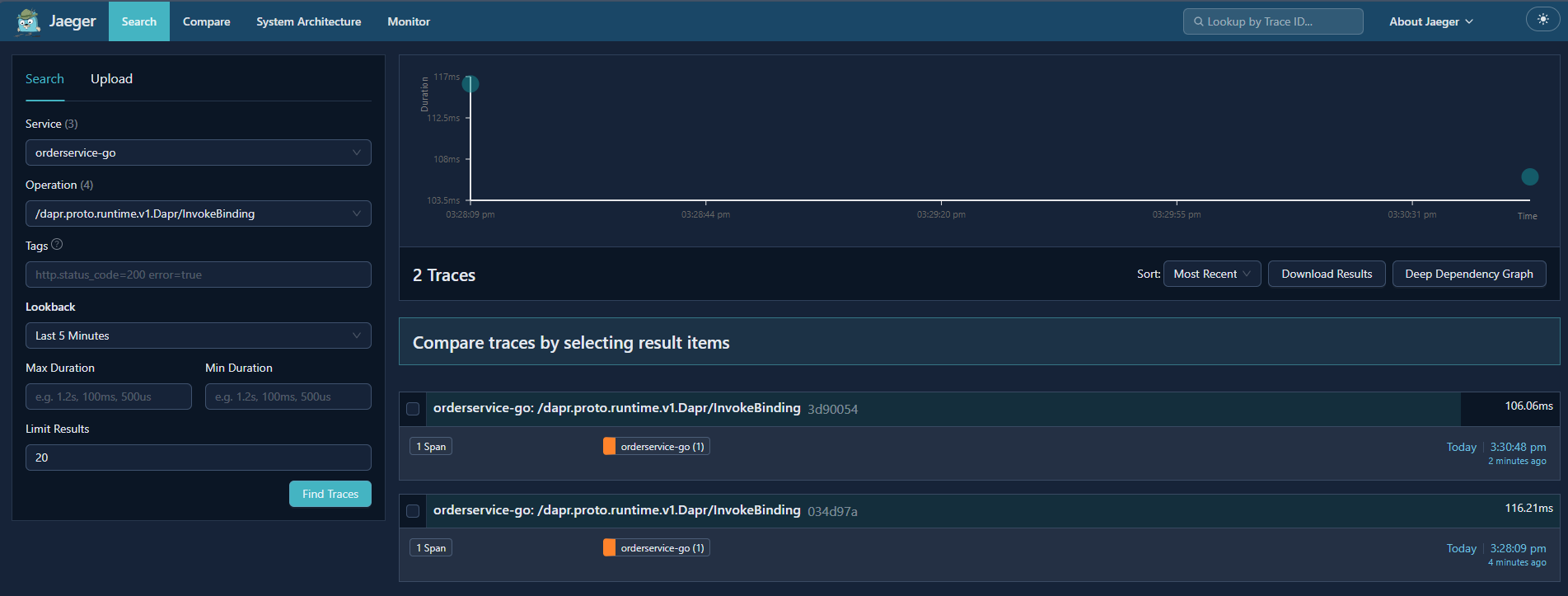
3. Check the Jaeger UI

You should now see:

  • Service: dev-demo-dotnet
  • HTTP server spans
  • Outgoing calls (if any)
  • Full trace graphs

If you see traces, the Operator‑managed pipeline is working end‑to‑end.

🧪 Troubleshooting Common Issues

No traces appear

  • Ensure the Deployment has the annotation
  • Ensure the Instrumentation CR is in the same namespace
  • Check Operator logs for mutation errors
  • Verify the Collector’s OTLP ports (4317/4318)

App restarts repeatedly

  • The Operator may be injecting into a non‑.NET container
  • Ensure your image is .NET 8+

Traces appear but missing context

  • The Operator sets tracecontext,baggage automatically
  • Ensure no middleware strips headers

🧭 What’s Next

With Jaeger v2 deployed and .NET auto‑instrumentation fully automated, you now have a working observability pipeline that requires:

  • No code changes
  • No image modifications
  • No per‑service configuration

In Part 4, we’ll take this setup and make it fully declarative using ArgoCD:

  • Repo structure
  • ArgoCD Applications
  • Sync strategies
  • Drift correction
  • Multi‑component GitOps workflows

This is where the system becomes operationally robust.